# How to Find the Root Directory of a Website on a Server

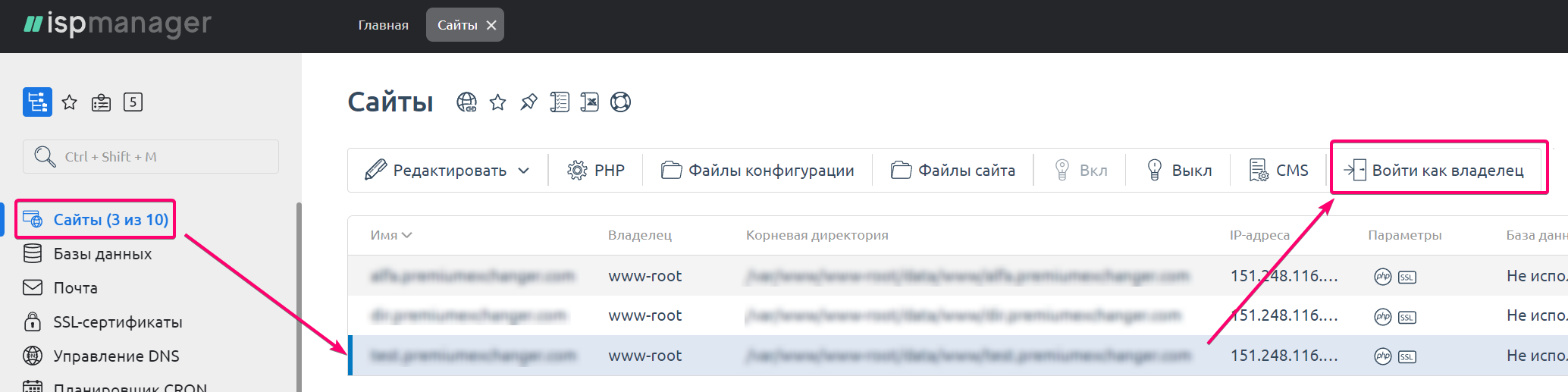
1. Log in to your server in ISP Manager as the root user. Navigate to the "**Sites**" section, select the desired website, and click the "**Log in as owner**" button.

<figure><img src="https://3137668309-files.gitbook.io/~/files/v0/b/gitbook-x-prod.appspot.com/o/spaces%2FwgP5ZE7DnnlT9DQMSCQz%2Fuploads%2Fgit-blob-1d70fbb36534e1ddccb1a77c3fdc9c449a6c45dd%2Fspaces_m9kqZXsNykrN6VyxxXBO_uploads_cpwmYuwrQxFilrgqRi3f_image.webp?alt=media" alt=""><figcaption></figcaption></figure>

2. In the "**File Manager**" section, open the directory of your website. The folder corresponding to `https://`*`your_domain_name/`* is the root directory of your website.
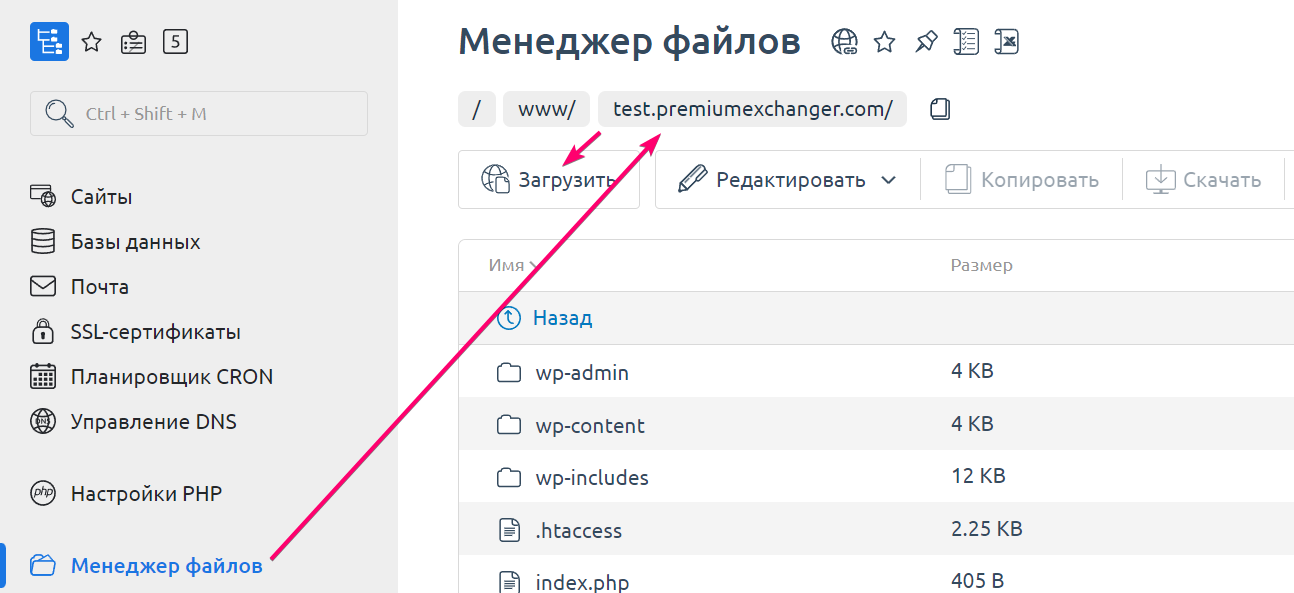
<figure><img src="https://3137668309-files.gitbook.io/~/files/v0/b/gitbook-x-prod.appspot.com/o/spaces%2FwgP5ZE7DnnlT9DQMSCQz%2Fuploads%2Fgit-blob-a596375089837d4e889cdd5e687b73c4652bbf4c%2Fspaces_m9kqZXsNykrN6VyxxXBO_uploads_Dm155tCjhxgF2pvGwpq6_image.webp?alt=media" alt=""><figcaption></figcaption></figure>
