> For the complete documentation index, see [llms.txt](https://premium.gitbook.io/main/llms.txt). Markdown versions of documentation pages are available by appending `.md` to page URLs; this page is available as [Markdown](https://premium.gitbook.io/main/osnovnye-nastroiki/faq/kak-ustanovit-onlain-chat.md).
# Как установить онлайн-чат?
## **Установка через панель управления сайтом (только для Jivo.ru)**
1. В личном кабинете [Jivo.ru](https://www.jivo.ru/) скопируйте ID без кавычек из кода для установки чата.
2. Вставьте скопированный ID в панель управления сайтом в разделе "**Настройки" → "Основные настройки" →** в поле "**Jivosite.ru ID**" и сохраните настройки.
## **Установка с помощью хука (любой онлайн-чат)**
1. Разместите код онлайн-чата в файле *`/wp-content/plugins/premiumhook/premiumhook.php`* вместо строки:
``
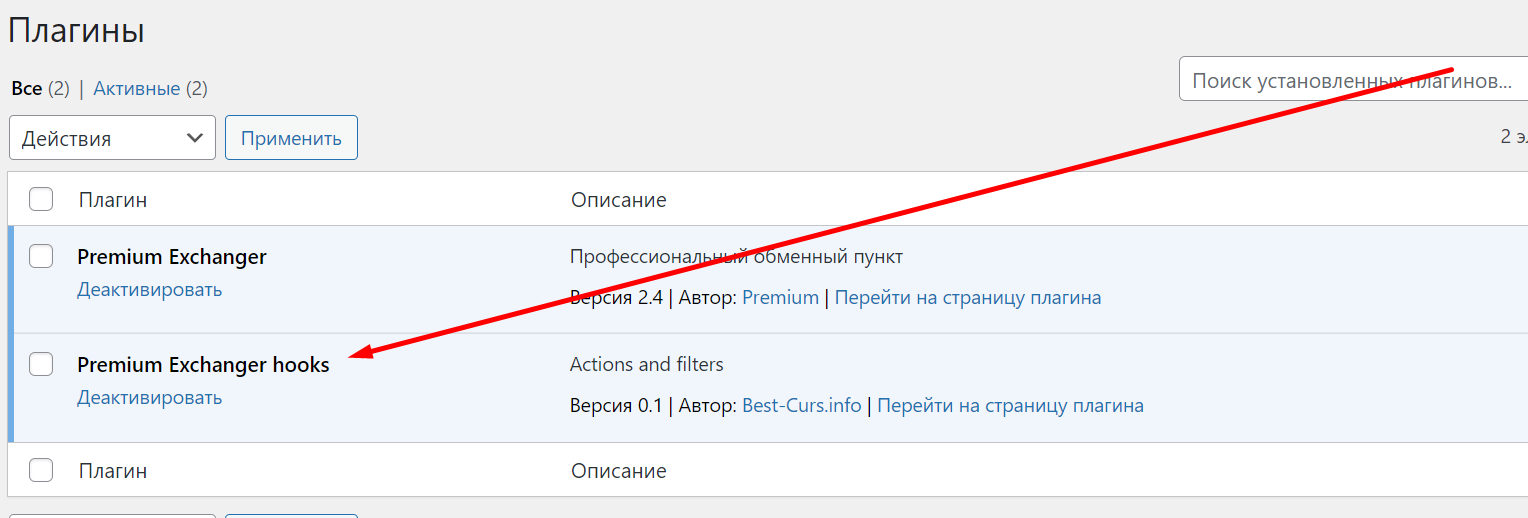
2. В разделе "**Плагины**" активируйте плагин "**Premium Exchanger hooks**".

%20(1)%20(1)%20(1)%20(1)%20(1)%20(1)%20(1)%20(1)%20(1)%20(1)%20(1)%20(1).png?alt=media)